Saved character management
Edit a disconnected character’s equipment, inventory, flags, name, and password in the admin console, with clear save and delete boundaries.
The Players page (HIGOD, level 36 or higher) edits saved characters in SQLite. A character must be completely offline before you can touch their record, including linkdead sessions and characters sitting at the login prompt, so a late game save can't clobber your edits.
Equipment and inventory
Section titled “Equipment and inventory”Choose a character and open Equipment & inventory. Every wear slot is listed, including empty ones. Click Equip beside an empty slot to move a carried item into it or spawn a New copy by name, keyword, or vnum. Choose Give item to drop a new copy into carried inventory.
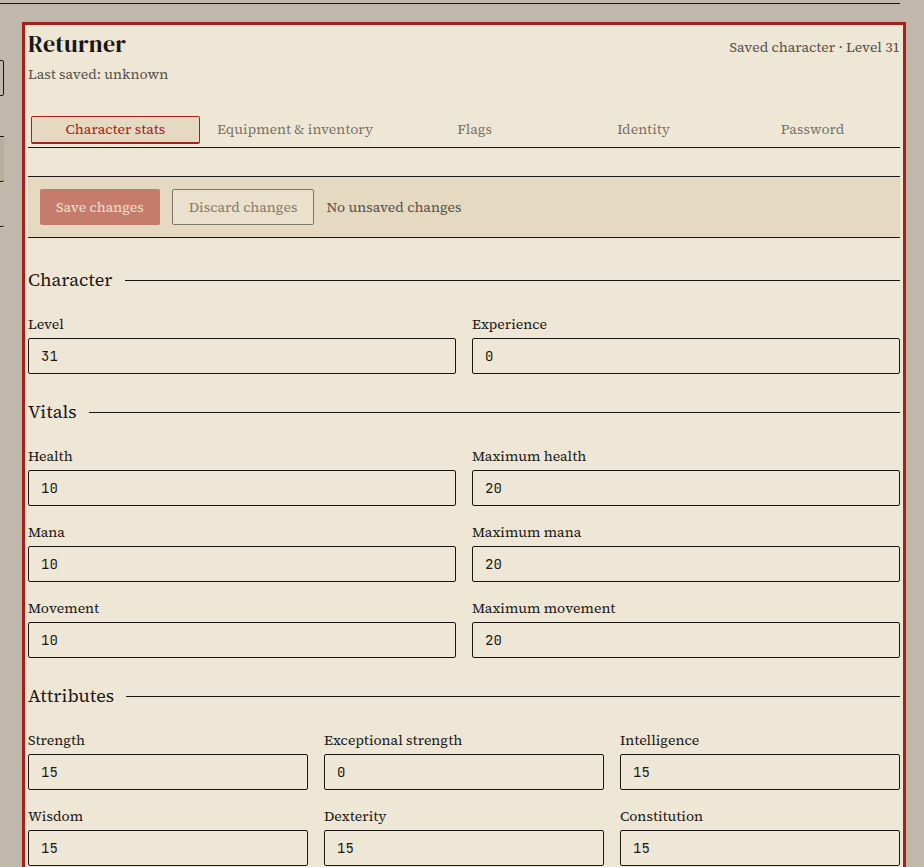
Carried containers show their contents nested underneath. Hide contents folds a bag; Show contents opens it back up. A container and everything inside it move together when you equip or unequip it. To pull one item out of a bag, choose Carried inventory from that item's destination menu and click Take out.
Unequip moves a worn item back to carried inventory. Remove queues deletion of the item and anything inside it. You can undo a queued removal with Discard changes until you click Save changes.
Stat and item edits share a single save bar so you can adjust both tabs and commit them in one transaction. Save or discard those edits before switching to flags, names, or passwords. If the character logged in while you had the editor open, Save changes refuses the write and keeps your draft open so nothing is partially overwritten.
Rename
Section titled “Rename”Open Players, choose a character, and select Identity. Enter a new name that follows the standard character creation rules. Names already taken, reserved for staff, or listed in the invalid-name filter are rejected.
Renaming updates the character's name across their saved record, aliases, and bulletin board headings, while keeping their mudmail, clan membership, and house access attached to their underlying character ID.
Delete
Section titled “Delete”Choose Delete character… on the Identity tab and review the confirmation dialog. For immortal characters (level 31 or higher), type the character's name to confirm. You cannot delete your own account or a level 40 implementor.
Old mail and house access remain tied to the deleted character's numeric ID, clan membership is cleared, and old board posts stay on the boards as history. If someone creates a new character with the same name later, they start fresh and do not inherit the old character's mail or house.
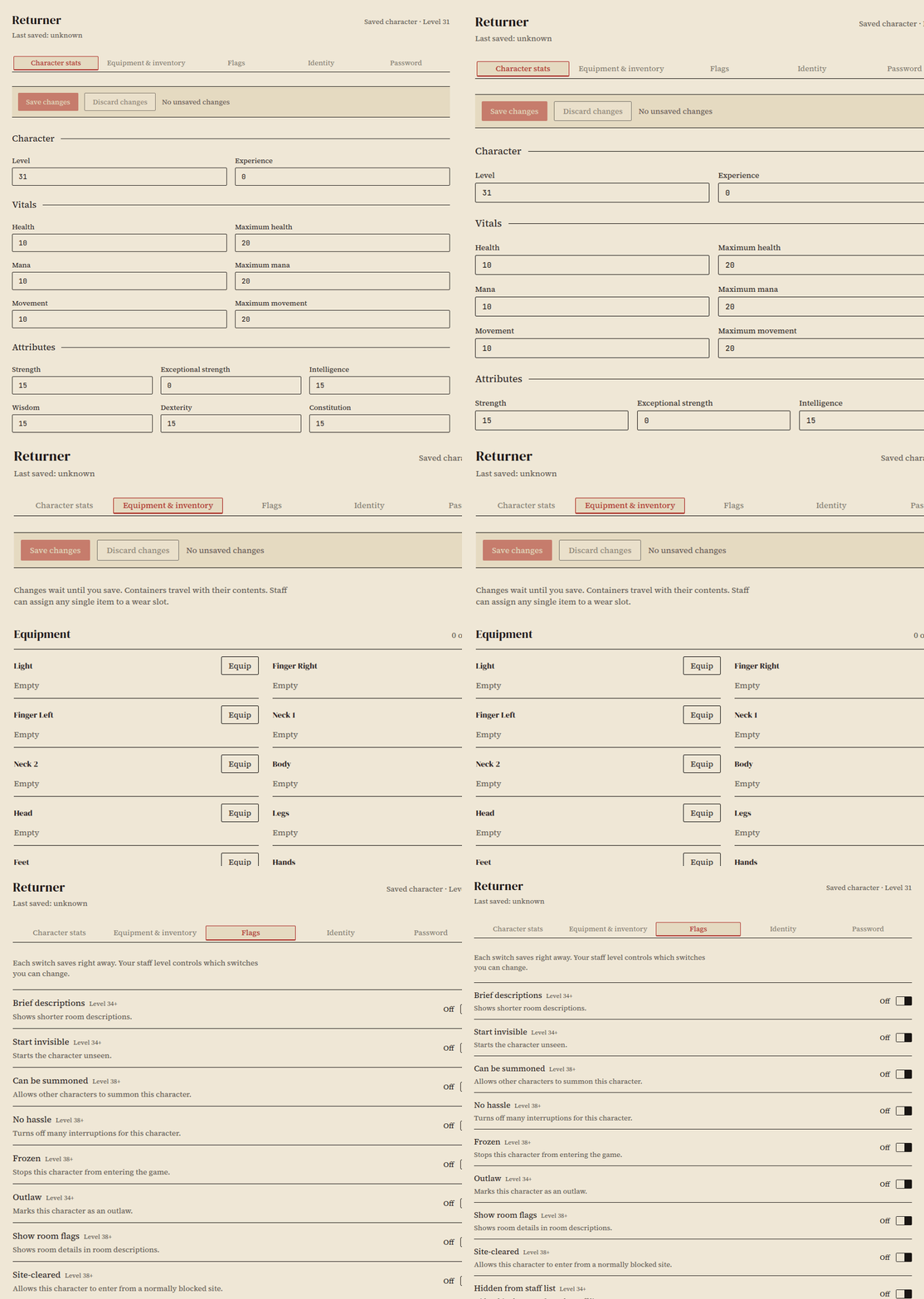
Open Flags to toggle character switches (Brief descriptions, Start invisible, Can be summoned, No hassle, Frozen, Outlaw, Show room flags, Site-cleared, Hidden from staff list). Each switch saves immediately, and the badge beside it shows the minimum staff level required to flip it.
FREEZE, originally invented here at CircleMUD (we think), is used to prevent a player from playing. If frozen, the game will ignore all commands entered by the player, including QUIT, until the player is unfrozen with THAW. Obviously, this command should only be used in extreme disciplinary circumstances.
help FREEZE
The Cryo-saved switch changes the character's cryo marker only; it does not create or restore saved items.
How it works
Section titled “How it works”Stat and item edits are revision-checked and written in one SQLite transaction. Renaming preserves the character's stable ID (src/mail.h and src/house.h attach mail and house ownership to that ID), while board headings and aliases are updated with the new name. The admin delete action is separate from the in-game self-delete command (src/interpreter.c) and does not alter game commands, wear checks, random draws, or the save format.