Edit Lua scripts
Edit a Lua script in the builder workshop, let the server parse-check the file, then publish it for the next game trigger.
Unlike room, mob, and object drafts, Lua scripts in the builder workshop have no staging step. When you click Save, the server syntax-checks your code and writes the file to disk, and the new script runs the very next time its trigger fires.
Before you start
Section titled “Before you start”- Sign in at
/admin/with a HIGOD (level 36) or higher character allowed to write scripts. - Know the existing script path, or the folder where you want to create one.
Edit or create a script
Section titled “Edit or create a script”- Open Workshop & saves, then choose Lua scripts.
- Pick a script from the file list, or enter a filename under New script here and choose Open.
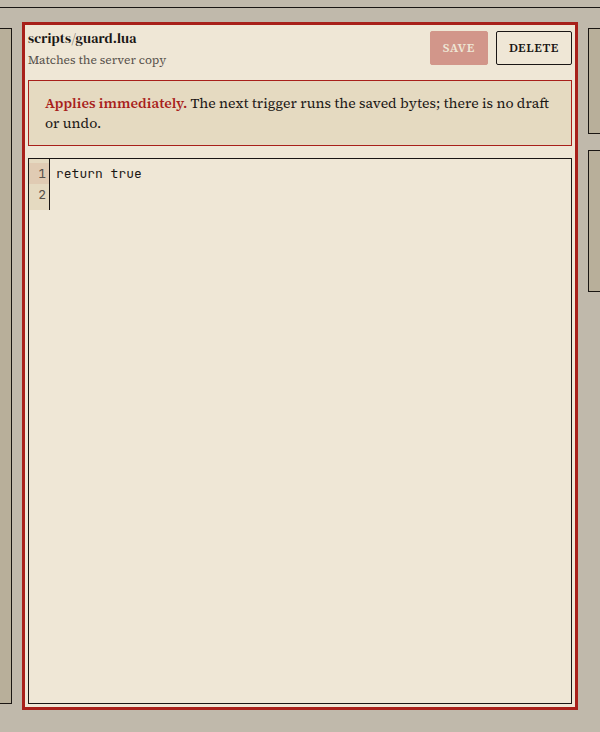
- Edit the script and choose Save. The server parse-checks the Lua source before writing the file.
The saved script runs on its next trigger. The Used by panel lists every room, mob, or object prototype currently wired to that file.
Did it work?
Section titled “Did it work?”The editor confirms the save, the file appears under Files, and any room, mob, or object using the script is listed under Used by.
If it didn't work
Section titled “If it didn't work”- The editor is read-only. Builders below HIGOD (level 36) can read scripts to see how triggers work, but saving requires level 36 or higher.
- The save is rejected with a syntax error. Fix the line number reported by the Lua parser and save again.
- Another editor saved first. Review the diff between the server copy and your buffer, merge your changes, and save again.