Edit objects
Edit an object prototype in your building zone with the admin console, commit it to the running world, and save the zone file.
Use webOLC in the admin console to build or tune an object prototype in your assigned zone. Changes stay in your draft until you commit them to the live world and write the zone's .obj file.
Before you start
Section titled “Before you start”- Sign in at
/admin/with a character assigned to build in the zone. - Find the item in Objects, or grab the next free vnum on its zone page.
Edit an object
Section titled “Edit an object”- Open Objects and select the item you want to change.
- Choose Edit (or open a free vnum from the zone page to create a new item). Opening the editor claims the object and starts your draft.
- Edit its keywords, short and long descriptions, action description, item type, flags, wear slots, weight, cost, values, stat applies, or extra descriptions.
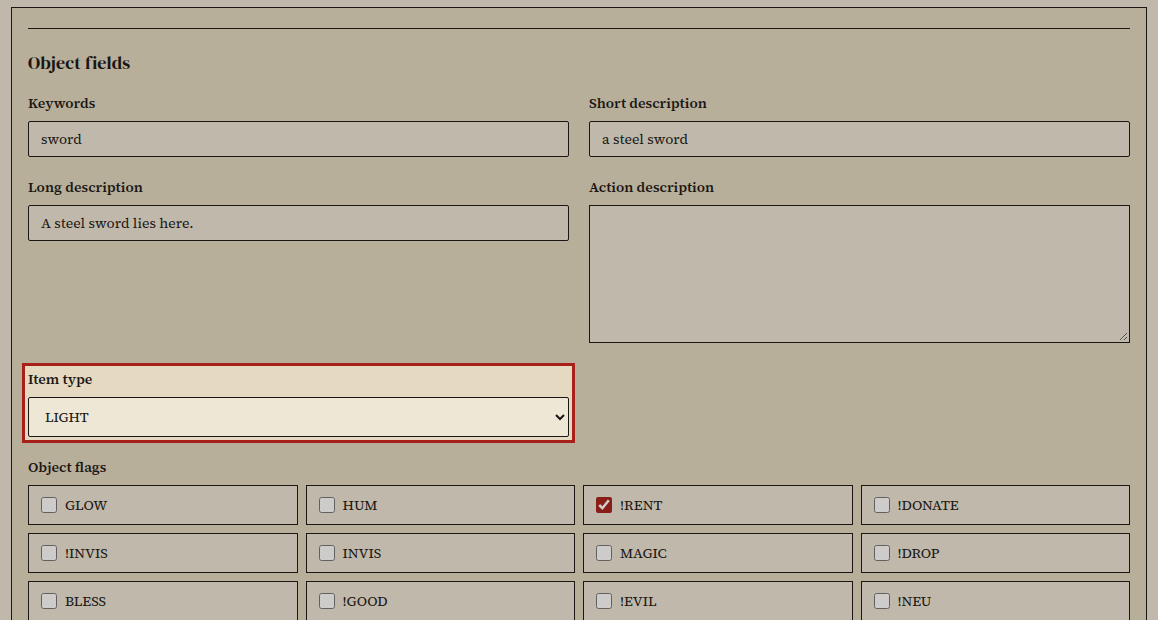
- Review your changes and choose Commit draft.
The object prototype updates in the running world and releases your claim.
- Choose Save zone file, or save from Workshop & saves.
Did it work?
Section titled “Did it work?”The object detail page shows your committed values, and saving the zone file clears the zone from pending saves in Workshop & saves.
If it didn't work
Section titled “If it didn't work”- The object is already claimed. Another builder has a draft open; wait for them to finish.
- Save zone file is disabled. Commit your object draft first.
- Edit buttons are unavailable. Check your zone permissions in the builder guide.