Run a local server
Build Dark Pawns from a checkout, point it at the original world files, and connect through telnet or the local web client.
Build a disposable server from a Git checkout when you're working on the Go engine or testing world files. Unlike the 1999 C tree, you won't have to blow away clan.c to get the damn thing to compile: one go build gives you a self-contained binary with embedded SQLite, the original Diku world files, and the web client.
This flow shows how the checkout becomes a running local world.
Before you start
Section titled “Before you start”- Install the Go version declared in
go.mod. - No external database service. The server keeps player data in a single embedded SQLite file created on first boot (
lib/data/darkpawns.dbby default). Pass-dbor setDP_SQLITE_PATHto put it somewhere else. PostgreSQL isn't a runtime backend: passing apostgres://address stops startup with an error. - The repository's
lib/world/directory, which holds the original rooms, mobs, objects, shops, and zones.
git clone https://github.com/zax0rz/darkpawns.gitcd darkpawnsgo build -o server ./cmd/serverConfigure and start
Section titled “Configure and start”Development mode can generate a temporary JWT secret on startup, which invalidates browser sessions every time you restart the binary. For repeatable local runs, generate a secret once with openssl rand -hex 32 and export it in JWT_SECRET:
export ENVIRONMENT=developmentexport JWT_SECRET="<paste the 64 hex characters from openssl rand -hex 32>"./serverWhen you run ./server from the repository root, no flags are required: it reads the world from lib/world, serves the web client from web/public, and writes SQLite data to lib/data/darkpawns.db. To keep a scratch database outside lib/data/, pass -db or DP_SQLITE_PATH:
mkdir -p .local/development-world./server -db .local/development-world/darkpawns.db# or: export DP_SQLITE_PATH=.local/development-world/darkpawns.dbA boot that creates a brand-new database logs a warning so you can tell a fresh file apart from an existing world.
The HTTP and WebSocket server listens on -port (default 4350); raw telnet listens on -telnet-port (default 7777). Pass -telnet-port 0 to disable raw telnet.
Connect
Section titled “Connect”telnet localhost 7777The browser client runs at http://localhost:4350/ and connects over ws://localhost:4350/ws.
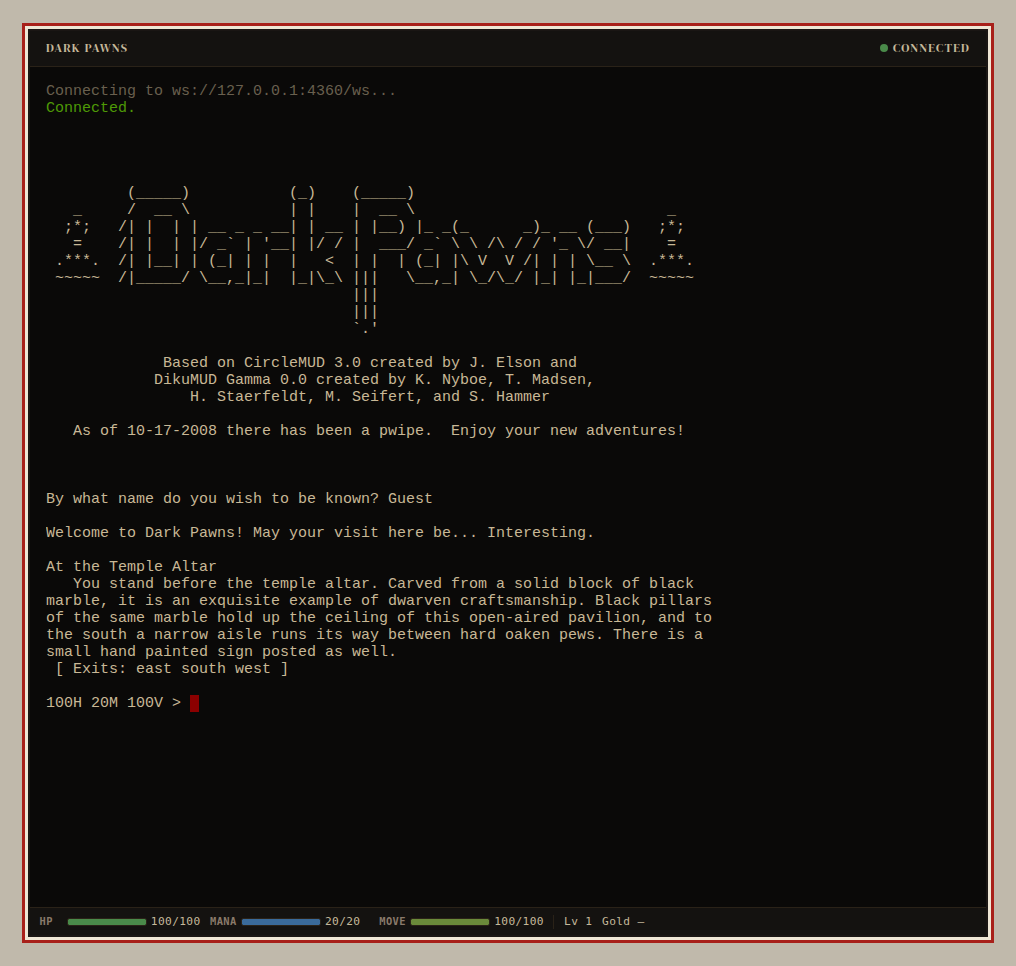
The capture above comes from a disposable world on a test port; your local checkout uses localhost:4350.
Did it work?
Section titled “Did it work?”The startup log reports the listening ports, and connecting via telnet or http://localhost:4350/ brings up the Dark Pawns login banner. The admin console lives on the same HTTP port at http://localhost:4350/admin/.
If it didn't work
Section titled “If it didn't work”- Startup rejects
JWT_SECRET. Generate 32 random bytes as hex (openssl rand -hex 32) and export the 64-character string without angle brackets. - The browser client can't connect. Check the startup log for the HTTP port and the
/wsWebSocket route;-portchanges both. - Startup says the database is unavailable. Unset
DP_ALLOW_NO_DBand point-dbat a writable directory.
Verify a development checkout
Section titled “Verify a development checkout”Before committing any code change, format with make fmt and run the verification gates separately:
go build ./...go vet ./...go test ./...golangci-lint run ./...For C-oracle differential testing, see Port fidelity workflow.