Edit mobs
Edit a mob prototype in your building zone with the admin console, commit it to the running world, and save the zone file.
Use webOLC in the admin console to edit a mob prototype in your assigned building zone. Your changes stay in a draft until you commit them to the running world and write the zone file.
Before you start
Section titled “Before you start”- Sign in at
/admin/with a character assigned to build in the zone. - Locate the mob in Mobs, or use the next free vnum on its zone page.
Edit a mob
Section titled “Edit a mob”- Open Mobs and select the mob you want to change.
- Choose Edit (or pick the free vnum on the zone page to create a new mob). Opening the editor claims the prototype and opens a draft.
- Change its alias keywords, short and long descriptions, level, hit points, damage dice, position, race, alignment, or behavior flags.
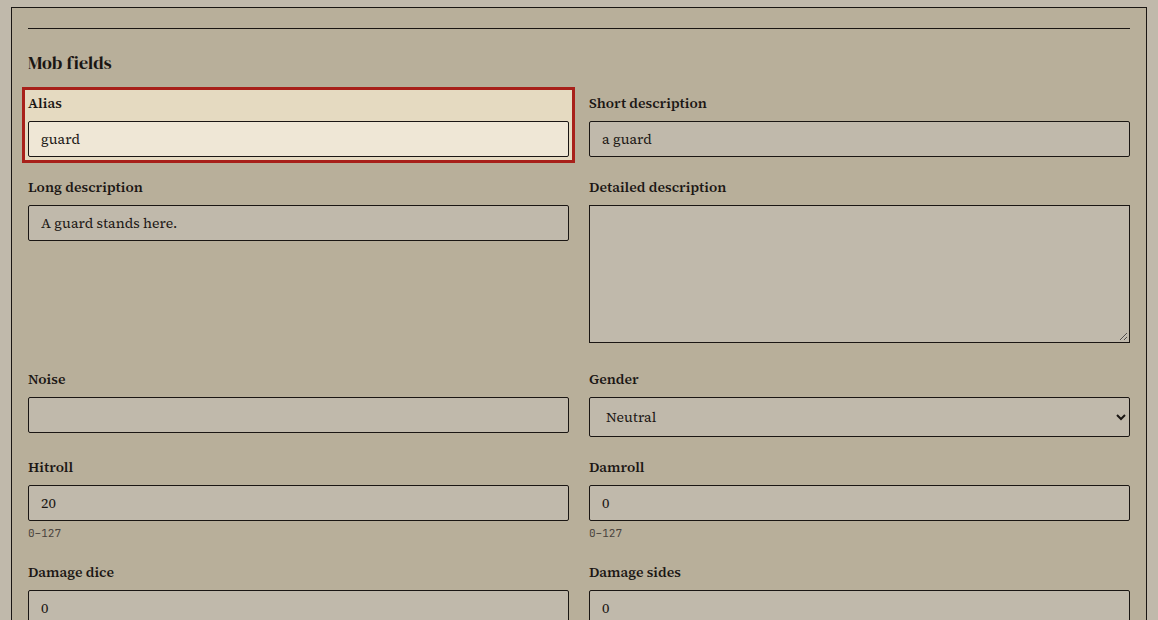
- Review your edits and choose Commit draft.
The mob prototype updates in the running world and releases your claim.
- Choose Save zone file, or save from Workshop & saves.
Did it work?
Section titled “Did it work?”The mob detail page reflects your committed stats, and saving the zone file removes the zone from pending saves in Workshop & saves.
If it didn't work
Section titled “If it didn't work”- The mob is already claimed. Wait for the other builder to commit or discard their draft.
- Save zone file is disabled. Commit your mob draft first.
- Controls are read-only. Check your zone permissions in the builder guide.